
How to Forward Calls on iPhone (And Why Tradies Still Lose Jobs)

You just missed a call. No big deal, right? Wrong. That missed call could have been a $3,000 job, and now that customer is already dialling your competitor.
If you're a tradie who's ever been up a ladder, under a sink, or elbow-deep in a job when your phone rings, you already know the struggle. But here's the thing, your iPhone actually has a built-in solution that most people completely ignore.
Learning how to forward calls on iPhone takes about two minutes to set up, and it could genuinely change the way your business runs. Whether you want calls to ring through to your partner, an answering service, or another number entirely, this feature has you covered.
In this guide, we'll walk you through exactly how to do it, step by step, even if you're not particularly tech-savvy. We'll also cover why call forwarding alone isn't always enough to stop the work from slipping through the cracks, and what smart tradies are doing instead to make sure every lead gets answered.
How to Set Up Call Forwarding on Your iPhone
Setting up call forwarding on your iPhone is straightforward once you know where to look. Here's how to get it done in a few taps.
Step 1: Open the Settings app on your iPhone and scroll down until you find Phone. It sits below Messages in most iOS versions.
Step 2: Tap Phone, then tap Call Forwarding from the list of options that appears.
Step 3: Toggle Call Forwarding on, then type in the number you want your calls diverted to. Once you exit Settings, forwarding activates automatically. You can check Apple's official NZ guide if you want to confirm the exact steps for your iOS version.
Step 4: Be aware that conditional forwarding (forwarding only when you're busy or don't answer) works differently depending on your carrier. Spark, One NZ, and 2degrees often handle this through USSD codes rather than the Settings menu. For more details on how NZ carriers handle this, the Geekzone community forum is a useful reference.
NZ network note: On some Spark and One NZ plans, unconditional forwarding won't register through Settings at all. If that happens, open your Phone app and dial *21*[number]# directly to activate it at the network level.
Final check: Before you head back on site, have a mate call your number and confirm the divert actually works. Carrier variability means assuming it's active can leave you flying blind.
What Call Forwarding Actually Does
Now you know how to switch call forwarding on, it is worth taking a moment to understand what it actually does — and what it does not do — because this is where most tradies get caught out.
Call forwarding is a rerouting tool, nothing more. When a call comes in and your phone is busy or unanswered, it sends that call to a second number you have nominated. It does not greet the caller, take a message, or handle the enquiry in any way. All it does is redirect the signal somewhere else. What happens next depends entirely on whether someone picks up at the other end.
Here is the problem most sole tradies run into pretty quickly: the number they forward to is usually a partner's mobile, a second SIM, or another device that belongs to them. If you are up a ladder or under a house, there is a good chance those phones are just as unreachable as your main one. The caller hears it ring out or hits voicemail, and they are right back where they started. Research confirms that around 80 to 85 percent of callers who reach voicemail hang up immediately and ring the next business on Google instead, rather than waiting for a callback.
Call forwarding was built for office environments with a staffed reception desk or a call centre at the other end of the line. It works well when a live person is waiting to answer. For a one-person operation where you are the owner, the worker, and the only person available, there is no staffed endpoint. The technology assumes someone is there to pick up, and in a solo trade business, that assumption is almost always wrong.
That gap is the real reason tradies who set up call forwarding still find themselves losing jobs. The setup is easy, the settings are correct, but the fundamental problem, which is nobody available to answer and help the caller, has not changed at all.
The Problem Call Forwarding Cannot Fix
Picture this. It is 11am on a Tuesday and you are up on a roof in Tauranga, nail gun in hand, halfway through a job. Your iPhone rings, call forwarding kicks in, and it diverts to your partner's phone. Your partner is also on a job in Mount Maunganui. Their phone rings out too. Back in Papamoa, a homeowner is standing in their kitchen with water creeping across the floor from a burst pipe under the sink. They have already opened Google and found three plumbers. You were first on the list. You are now second. Within four minutes, they have booked someone else. That job, and every referral that could have come from it, is gone.
This is not a worst-case scenario. It is Tuesday morning for a lot of NZ tradies.

Here is the uncomfortable truth about call forwarding: it moves the call, but it does not move any faster than you can answer it. If neither phone gets picked up, the caller hits voicemail and research from 2026 shows that 80 to 85 percent of callers who reach voicemail hang up immediately and ring the next business rather than wait for a callback. Fewer than 3 percent leave a message. So your forwarding setup, as tidy as it looks in your Settings app, produces exactly the same outcome as no forwarding at all when both ends are busy.
The numbers get hard to ignore when you run the maths. A NZ tradie missing just 10 calls per week, at an average job value of $450 and a 40 percent win rate, could be losing $79,499 per year to competitors. That is not revenue you declined. That is revenue you never even got the chance to quote on.
The people in your industry know this is happening. The NZ Facebook group for builders and tradesmen, with over 52,800 members, talked about it directly in May 2026. The conversation came down to one observation: "One missed call can easily become a missed job when you're busy on-site or driving between jobs." The frustration is real, and it is widely shared.
The window to recover a missed enquiry is brutally short. Missed call statistics for 2026 confirm that responding within five minutes makes a business 100 times more likely to reach the caller compared to responding after 30 minutes. For urgent jobs like burst pipes, lockouts, or power outages, that window is even tighter. By the time you climb down, pull off your gloves, check your phone, and dial back, the caller is already confirming a booking with whoever answered first.
Call forwarding is a routing feature. It was built to move calls from one phone to another, not to solve the speed problem that causes leads to disappear in the first place. That problem needs a different kind of fix entirely.
What Actually Works: Missed-Call Text-Back
So if call forwarding cannot plug the gap, what actually can? The answer is a missed-call text-back system, and the difference in how it works is night and day.
The moment a call goes unanswered, the system fires an automatic message to the caller's phone within seconds. Not five minutes later. Not when you come off the tools at 4pm. Within seconds. That speed matters enormously because 85% of missed callers never ring back once they hit voicemail or a dead ring-out. They are already scrolling to the next tradie on Google before you have even noticed the missed call notification. By firing a message instantly, you restart the conversation before the caller has had a chance to dial anyone else.
But here is where a smart system pulls well ahead of a basic one. A generic "sorry we missed you, we'll call back soon" SMS is better than nothing, but it does not actually help you. It just creates another thing you need to follow up manually. An AI-powered system like Swoopd does something genuinely different: it has a real back-and-forth conversation with the caller on WhatsApp, asking what the job is, how urgent it is, and what suburb they are in. The caller gets a responsive, natural conversation. You get a fully qualified lead sitting in your dashboard by the time you come off the roof.
WhatsApp is the right channel for this in New Zealand specifically. It is on virtually every smartphone in the country, people are already comfortable using it for conversations, and it has read receipts so you can actually see whether the caller engaged with the message. Compare that to an SMS that disappears into a crowded inbox with no confirmation it was read. Research consistently shows text-based channels outperform voicemail by a wide margin, with 86% of callers who reach voicemail simply hanging up and calling the next business instead.
The other big advantage over call forwarding is that a text-back system has no off switch. It works at 9pm on a Saturday. It works during a three-hour concrete pour. It works on Waitangi Day. There is no one needed at the other end to receive a forwarded call, because the system handles the whole conversation automatically and logs every detail.
Tradies and small service businesses across NZ and Australia who have adopted AI-powered missed-call text-back report recovering significantly more leads within the first 30 days compared to relying on callbacks alone. Given that each missed job can be worth hundreds of dollars, recovering even two or three extra enquiries a week starts to add up fast.
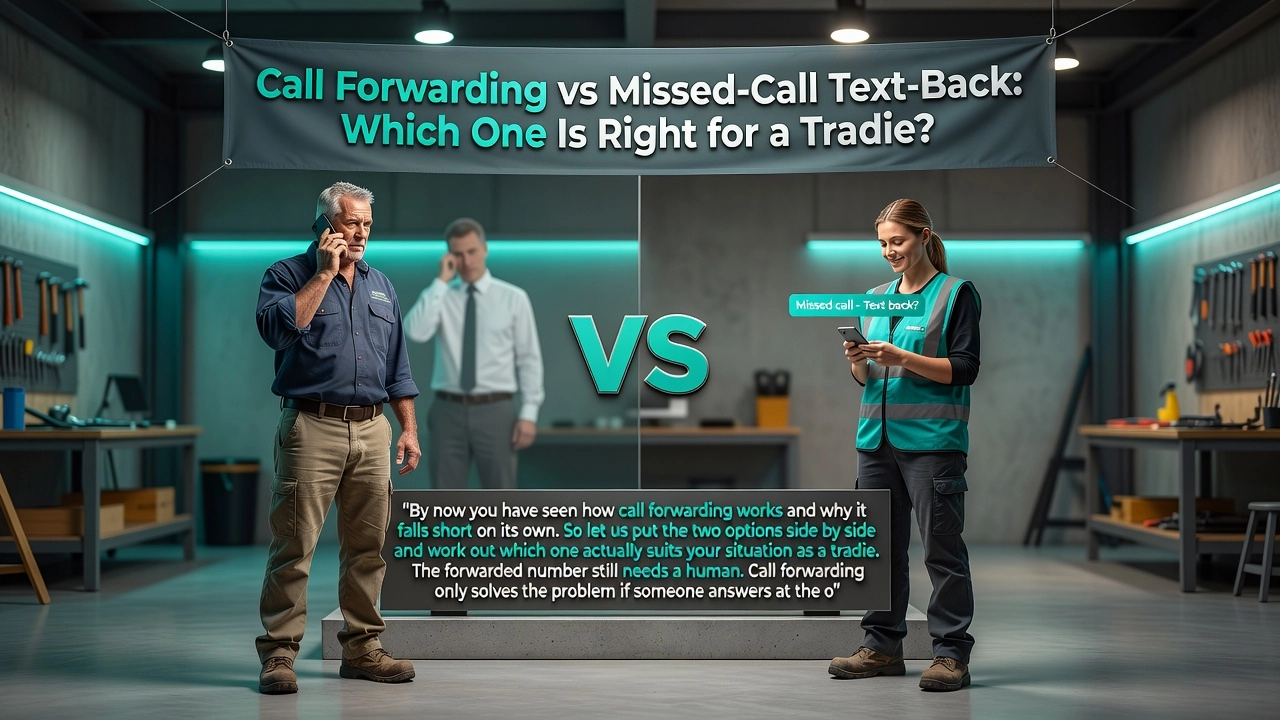
Call Forwarding vs Missed-Call Text-Back: Which One Is Right for a Tradie?
By now you have seen how call forwarding works and why it falls short on its own. So let us put the two options side by side and work out which one actually suits your situation as a tradie.
The forwarded number still needs a human. Call forwarding only solves the problem if someone answers at the other end. If your partner is busy, your mate is on their own job, or it is 7pm on a Friday, that forwarded call hits voicemail just the same. And the numbers on what happens next are pretty grim: between 80 and 85 percent of callers who reach voicemail hang up and ring the next tradie on their list without leaving a message. The lead is gone before you even know the phone rang.
Text-back does not need anyone. The moment a call goes unanswered, an automated message fires back to the caller within seconds. It does not matter if you are mid-job, driving between sites, or sound asleep. The lead gets a response, a conversation starts, and the job details get captured without you touching your phone.
Call forwarding tells you nothing about the job. All you get is a missed call notification on a different number. You have no idea whether it was a burst pipe in Ellerslie, a heat pump quote in Hamilton, or someone who dialled the wrong number. You call back blind, and by then there is a good chance they have already booked someone else.
Text-back captures job type, urgency, suburb, and contact details through a structured conversation. You can look at your dashboard, triage your leads by value and urgency, and return the most important calls first.
Free does not mean cheap. Call forwarding costs nothing to set up, but every job that slips through because the forwarded number also goes unanswered has a real dollar value. A NZ tradie missing just 10 calls a week at a 40 percent win rate and a $450 average job value is looking at roughly $79,000 in lost revenue every year according to NZ missed-call cost estimates. That zero-cost feature starts to look a lot more expensive.
Which one is right for you? If you are a sole tradie or running a small crew with no dedicated admin, text-back fills the gap that call forwarding simply cannot. There is no person to forward to who will reliably pick up every call, every day. If you already have a staffed reception desk or a live answering service taking calls during business hours, call forwarding to that desk can work well as part of your setup. But for most tradies across New Zealand, the honest answer is that text-back is the only option that works around the clock without relying on another human being available.
Setting Up After-Hours Call Forwarding and Where It Falls Short
After-hours calls are a different beast altogether, and they deserve their own setup strategy.
If you are running iOS 15 or later, iPhone's Focus modes give you a bit more control over your evening hours. Head to Settings > Focus > Do Not Disturb, set a schedule for your after-hours window, and configure which contacts can still get through. This silences the noise without cutting off your most important callers. What it does not do is intelligently reroute calls based on time of day. It is a silence tool, not a forwarding automation.
For actual time-based forwarding, the better option is your NZ carrier's account portal. Spark, One NZ, and 2degrees all offer some form of conditional call diversion that can be configured via your online account or through USSD codes entered directly on your phone. This lets you divert calls made after 5pm or on weekends to a separate after-hours number, without your phone needing to be active or nearby. Check your carrier's support pages for the exact codes and steps, as they vary by plan.
Here is the honest problem with all of this though. A 9pm call about a bathroom flooding is not going to sit quietly in a voicemail queue until morning. That homeowner has water running through their ceiling right now, and they are calling the next plumber on Google before your voicemail message even finishes playing.
After-hours calls are actually your highest-value leads precisely because urgency drives willingness to pay premium rates. But urgent callers are the least patient. They move on in minutes, not hours.
An automated WhatsApp text-back sidesteps this entirely. The caller gets an instant reply at 9pm, shares their details and how urgent the job is, and you wake up to a qualified lead already sitting in your dashboard, ready to act on.
A Smarter Fix for NZ Tradies: How Swoopd Fills the Gap
All the options covered so far — call forwarding, Focus modes, voicemail setups — share the same fundamental flaw. They move the problem around without solving it. Swoopd is built differently, and it is worth understanding exactly how.
Swoopd works alongside your existing mobile number. There is no new SIM to buy, no second handset, no telling your regular customers to ring a different number. The number already saved in a hundred phones around your area stays exactly the same. Swoopd simply runs quietly in the background, watching for missed calls.
The moment one slips through, Swoopd texts the caller back on WhatsApp within seconds, averaging around 9 seconds response time. Not a generic "sorry we missed you" message either. An AI-powered conversation starts up, asking the right questions to find out what the job is, how urgent it is, and where the work needs to happen. By the time that caller might have otherwise picked up the phone to ring the next name on their list, Swoopd has already engaged them.
What happens next is where it gets genuinely useful. Captured jobs get booked into your calendar, and the scheduling is smart. It looks at where you already are, what jobs you have running, and suggests appointment times that actually make geographic sense. No driving across town and back when a sensible route was sitting right there.
Swoopd also catches website form submissions and email enquiries, not just missed calls. Every lead, regardless of how it arrived, lands in one dashboard. No call forwarding setup in the world can do that.
For NZ tradies running the numbers: a full-time receptionist runs around $50,000 a year, a human answering service sits somewhere between $99 and $500 a month, and Swoopd costs a fraction of either while responding faster than any person could. The Xero integration closes the loop completely, pushing captured jobs through to invoicing and payments without any double-handling. Missed call to paid invoice, without the paperwork pile.
The Bottom Line on iPhone Call Forwarding for Tradies
iPhone call forwarding is simple to set up and genuinely useful if you have a staffed number ready to receive those diverted calls. Follow the steps earlier in this guide, test it from a second phone before you rely on it, and you are good to go.
But for most sole tradies and small crews, call forwarding just moves the problem along. The forwarded number still needs a real person to pick up. And here is the hard truth: between 80 and 85 percent of callers who hit voicemail hang up immediately and ring the next tradie on their list. They are not waiting. They are not leaving a message. They are gone.
The real fix is a system that fires the moment a call goes unanswered, captures the job details automatically, and keeps that lead warm while you finish the work in front of you. No extra phone. No extra staff. No missed opportunity sitting in a voicemail nobody checks.
If you are missing even two or three calls a week, the annual revenue loss runs well into the tens of thousands of dollars. That is significantly more than any automated solution costs to run. Research into missed-call automation confirms this clearly, and tradies in similar communities are already making the switch.
Start with the iPhone settings covered above, then take five minutes to explore what a missed-call text-back system would actually change for your day on the tools. The numbers tend to speak for themselves pretty quickly.
Conclusion
Missing calls costs tradies real money, and the fix is simpler than most realise. Here is what to take away from this guide:
Call forwarding on iPhone takes minutes to set up and keeps leads from going cold
Forwarding to a real person or answering service beats voicemail every single time
The best tradies treat every incoming call as a potential job worth protecting
Technology works best when it works quietly in the background, so you can focus on the work in front of you
The tools are already sitting in your pocket. The only question is whether you use them.
Take five minutes today to set up call forwarding, then look into a professional answering solution that catches every call you cannot. Your competitors are not waiting around, and neither are your customers.
Miss the call. Win the job.
Swoopd texts your missed calls back and books the job into your calendar.
Start free